Most people walk into a store, grab a bag of Wi-Fi smart plugs, download an app, and call it home automation. The packaging is glossy, setup takes ten minutes, and the experience is genuinely decent on day one. But once you have spent time architecting systems for a living, those plug-and-play devices start to look like the consumer equivalent of shadow IT: convenient, fragmented, and quietly dependent on infrastructure you do not control.
This guide is written for developers, IT professionals, and technically minded homeowners who want more than a row of app-controlled switches. We cover the full picture: why the off-the-shelf model breaks down at scale, what a properly architected home network looks like, and how to build automations as code rather than as wizard-built rules trapped inside a vendor app.
The Problem with Off-the-Shelf Smart Plugs
Commercial smart devices are built around a cloud-first model. When you tap a button in the app, your command travels from your phone, up to a vendor server in some undisclosed data centre, and back down to a device sitting two metres away from you on your power strip. On a good day the latency is forgivable. The structural problems are harder to ignore.
- Cloud dependency — if the vendor servers go down, or your internet drops, your "smart" home reverts to dumb hardware you cannot control.
- Privacy exposure — every command, schedule, and usage pattern is logged on infrastructure owned by someone else, governed by a privacy policy that can change at any time.
- Ecosystem fragmentation — five apps, three voice assistants that argue with each other, and a Zigbee bulb that refuses to talk to a Z-Wave hub.
- Vendor lock-in and end-of-life risk — a firmware update can break an integration overnight, and a discontinued product can turn into an expensive paperweight.
- Subscription creep — features that shipped free are increasingly moved behind premium tiers.
The core insight: a programmed home network treats your house the way a systems administrator treats infrastructure. One source of truth, local-first processing, documented integrations, and no single vendor holding the keys.
What a Programmed Home Network Actually Looks Like
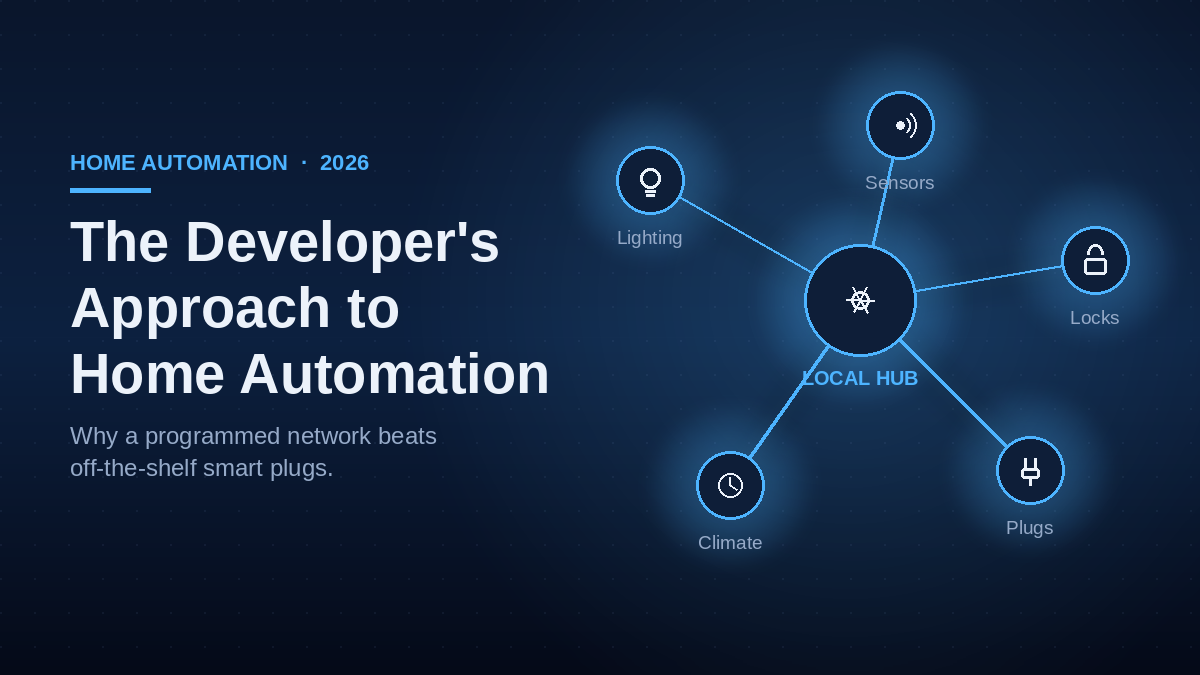
The foundation of a developer-built setup is a local hub that your devices talk to directly, with the internet as an optional layer rather than a mandatory one. The most widely adopted platform for this is Home Assistant, running on a small server, a mini PC, or a Raspberry Pi on your own network. All logic, device state, and automation history live on hardware you own and can back up.
Protocol Over Brand
Instead of buying devices by brand, you buy by protocol. This single shift removes most of the fragmentation that plagues consumer setups.
| Protocol | How it works | Best for |
|---|---|---|
| Zigbee | Low-power mesh; devices relay signals to extend range | Sensors, bulbs, switches at scale |
| Z-Wave | Mesh on a less crowded radio band than Wi-Fi | Reliable, interference-resistant control |
| Matter / Thread | Cross-vendor IP-based standard backed by major platforms | Future-proof, brand-agnostic devices |
| Wi-Fi (local API) | Direct local control, cloud bypassed where supported | High-bandwidth devices like cameras |
When your home is organised around open protocols, swapping a single device does not break your automations. The logic references a capability, not a specific product from a specific company.
Automations as Code
In a programmed setup, automations are expressed as logic, not assembled in a vendor wizard. A YAML file or a Node-RED flow can describe nuanced behaviour that commercial apps either cannot express or bury behind premium tiers.
automation:
  - alias: "Hallway Night Mode"
    trigger:
      platform: state
      entity_id: binary_sensor.hallway_motion
      to: "on"
    condition:
      - condition: time
        after: "23:00:00"
      - condition: state
        entity_id: binary_sensor.bedroom_occupancy
        state: "on"
    action:
      - service: light.turn_on
        target:
          entity_id: light.hallway
        data:
          brightness_pct: 20
      - delay: "00:03:00"
      - service: light.turn_off
        target:
          entity_id: light.hallway
Because the automation is text, it can be version controlled, commented, copied between rooms, and reasoned about like any other piece of software. That is something no smart-plug app offers.
Off-the-Shelf vs Programmed: A Straight Comparison
| Criteria | Off-the-Shelf Smart Plug | Programmed Network |
|---|---|---|
| Initial setup time | Ten minutes | Hours to days (front-loaded) |
| Cloud dependency | Always-on required | Local-first, cloud optional |
| Privacy | Vendor owns usage data | Data stays on your hardware |
| Reliability | Tied to vendor uptime | Works fully offline |
| Automation complexity | Limited by app UI | Unlimited, code-driven |
| Long-term cost | Subscription creep, EOL risk | One-time hardware, open source |
| Vendor lock-in | High | Protocol-based, brand agnostic |
Network Architecture: Treat IoT as Untrusted
A programmed home is also a more secure home, provided you design the network correctly. Consumer IoT devices have a poor security track record, so the right approach is to isolate them from the machines that matter.
- Dedicated IoT VLAN — place all smart devices on a separate network segment so a compromised bulb cannot reach your laptop or NAS.
- Firewall rules — block IoT devices from initiating connections to the internet unless a specific device genuinely needs it.
- Local DNS and mDNS reflection — let your hub discover and control devices across segments without opening the whole network.
- Regular backups of your hub config — your automations are code, so back them up like code.
Security note: never expose your home automation dashboard directly to the internet with a port forward. Use a reverse proxy with strong authentication, or a self-hosted VPN such as WireGuard, so remote access happens through an encrypted tunnel rather than an open door.
The Learning Curve Is the Point
Yes, the initial build takes longer. You will read documentation, debug a Zigbee pairing issue at ten at night, and spend a weekend setting up VLANs properly. But that effort is front-loaded. Once the foundation is solid, adding a device or writing a new automation is genuinely fast, and you are never at the mercy of a vendor decision.
More importantly, the skills transfer directly to professional work. Network segmentation, API integration, event-driven logic, caching, monitoring dashboards: these are the same patterns used to build enterprise systems. Your home becomes a low-stakes laboratory where you can test tools and architectures before deploying them where the stakes are higher.
Getting Started: Your First Programmed Setup
Do not try to automate the entire house at once. Build incrementally, one room and one capability at a time.
- Install Home Assistant on a Raspberry Pi, a mini PC, or a virtual machine on hardware you already own.
- Add a Zigbee or Z-Wave coordinator (a USB stick) so you are not dependent on Wi-Fi cloud devices.
- Pair a handful of devices in a single room: a motion sensor, a couple of bulbs, and a smart switch.
- Write your first automation in YAML and watch it execute, fully offline, with no vendor in the loop.
- Segment your network by moving all IoT devices onto a dedicated VLAN once the basics work.
Closing: Own the Stack, Then Expand
Off-the-shelf smart plugs are fine for someone who wants a light to turn on at sunset and nothing more. But if you think in systems, the consumer model will frustrate you quickly. A programmed network gives you control, privacy, reliability, and a foundation that grows with your needs rather than against them.
Start with the simplest setup that solves a real problem in your home. Ship it, live with it, and expand from there. The difference is that every step builds on infrastructure you understand and control completely.